
How to Play 2048: The Complete Beginner Guide
Master the art of merging numbers and reach the legendary 2048 tile
Play 2048 NowQuick Answer: What Is 2048 and How Do You Play?
2048 is a number-merging puzzle where you slide tiles on a 4×4 grid. When two tiles with the same number touch, they merge into one tile with double the value (2+2=4, 4+4=8, and so on). Your goal is to create a tile with the number 2048 — though you can keep playing to reach even higher tiles like 4096 and beyond.
The game seems simple, but reaching 2048 requires strategy. Most players get stuck around 512 or 1024 because they move tiles randomly. The key is the corner strategy: keep your highest tile in one corner and build a descending chain from there. Our version also includes a statistics panel, undo system (up to 30 moves), zoom controls, leaderboard, achievements, and daily challenges.
Play the free 2048 game as you read — nothing beats hands-on practice while learning.
Understanding the rules takes 30 seconds. Mastering the strategy takes a lifetime. The difference between players who reach 2048 and those who don't isn't luck — it's a single strategic principle that transforms the game from random sliding to controlled chaos. The diagrams and strategy breakdowns below will make everything clear.
The Basic Rules of 2048
2048 takes place on a 4×4 grid (16 cells total). At the start of each game, two tiles appear randomly on the board — usually showing the number 2, occasionally a 4. Here's how the game works:
- Swipe or use arrow keys (up, down, left, right) to move all tiles in that direction. You can also use WASD keys (W=up, A=left, S=down, D=right) if you prefer
- Tiles with the same number merge when they collide. Two 2s become a 4. Two 4s become an 8. Two 8s become a 16. And so on.
- After every move, a new tile (2 or 4) appears in a random empty cell
- The game ends when you can't make any legal moves — meaning the board is full and no adjacent tiles share the same value
- You win when you create a tile with the number 2048
Zoom Controls: Adjust the Board Size for Better Visibility
Our 2048 game includes a zoom slider that lets you scale the game board from 50% to 200%. This is especially useful on mobile devices or smaller screens where the default board size might feel cramped. Simply drag the zoom slider (marked with a 🔍 icon) below the game board to enlarge or shrink the tiles. Your zoom preference is automatically saved using localStorage, so the next time you visit, the board will appear at your preferred size.
When to use zoom:
- On mobile: Zoom in to 150-200% to see tiles more clearly on small screens
- On desktop: Keep at 100% for the standard experience, or zoom out to 80% for a compact view
- For speed runs: Some players prefer a slightly larger zoom (120-130%) to reduce eye strain during long sessions
The zoom feature uses CSS transforms with GPU acceleration, so adjusting the slider is smooth and doesn't affect game performance or tile animations.
The math behind the tiles follows powers of 2: 2, 4, 8, 16, 32, 64, 128, 256, 512, 1024, 2048. Each tile represents 2 raised to some exponent, and merging always produces the next exponent. Understanding this helps you visualize what you're building toward.
Scoring System
Every time you merge two tiles, you earn points equal to the value of the new tile. Merging two 2s gives you 4 points. Merging two 512s gives you 1024 points. Your final score is the sum of all merges throughout the game. Reaching 2048 typically requires a score between 20,000 and 50,000 points, depending on how efficiently you merge.
Higher scores come from efficient merging — creating larger tiles without wasting moves or creating unnecessary small tiles. We'll cover efficiency strategies in the advanced section below.
Tile Merge Animation: Visual Feedback That Feels Satisfying
Every time two tiles combine, the resulting tile plays a smooth pop animation — a quick 0.3-second scale effect that pulses outward and settles back. This isn't just eye candy; the tile merge animation gives you instant visual confirmation of which cells just changed, so you can track the cascade of merges across the board at a glance.
Why the Animation Matters
In fast-paced games, it's easy to lose track of where new tiles appeared after a multi-tile chain merge. Our merge animation highlights each newly formed tile with a brief scale pulse, making it obvious which cells were just updated. This is especially helpful when you're building long chains — 2 → 4 → 8 → 16 → 32 — because you can follow the cascade visually instead of scanning the entire board.
The animation is lightweight (CSS keyframe, no JavaScript overhead) and runs at 60fps on all devices. It fires only on tiles that resulted from a merge in the current move, so untouched tiles remain still — giving you a clean visual signal of what just changed.
Statistics Panel & Undo Feature
Our 2048 game goes beyond basic scoring with a comprehensive statistics panel that tracks your long-term performance:
- Games Played: Total number of games you've started — useful for tracking your overall engagement
- Average Score: Your mean score across all games — a reliable indicator of consistency
- Best Tile: The highest tile you've ever created — your personal milestone tracker
All statistics are stored locally in your browser and persist across sessions, so you can measure improvement over weeks and months. No account needed — the data stays on your device.
The game also features an undo system with up to 30 rewind steps. The undo button displays a counter showing how many moves remain available. This is particularly valuable for:
- Learning from mistakes: Undo a bad move and try a different direction
- Exploring strategies: Test what happens if you swipe a different way
- Recovering from near-misses: When one wrong swipe breaks your corner strategy, undo can save the game
Access undo via the button or press Ctrl+Z (Cmd+Z on Mac). The counter next to the button shows remaining undos — use them wisely, as they're limited per game.
Leaderboard: Save Your Best Scores
Our 2048 game includes a local leaderboard that tracks your personal best scores. Every time you finish a game, you can click the Save Score button to record your final score in the Top 10 rankings. The leaderboard displays your score, highest tile achieved, and the date — so you can see your progress over time.
The leaderboard is stored in your browser's localStorage, which means your scores persist across sessions and won't disappear when you close the tab. You can reset the leaderboard at any time if you want to start fresh. This feature motivates you to beat your own records and track your improvement as you apply the corner strategy more effectively.
💾 Auto-Save & Resume: Pick Up Exactly Where You Left Off
Life happens — the phone rings, a meeting starts, or you simply need a break. Our 2048 game includes an automatic save-and-resume system that preserves your entire game state after every single move. When you return to the page, you'll see a Resume prompt overlay displaying your current score, your best tile, and how long ago you last played (for example, "Score: 12,480 · Best tile: 512 · 3 hours ago · 4×4 board"). Click Resume to continue exactly where you left off — same grid, same score, same tile positions. Click New Game if you'd rather start fresh.
The saved state is stored in your browser's localStorage, which means it persists even if you close the tab, shut down your browser, or restart your computer. Saved games automatically expire after 7 days to prevent stale states from cluttering your experience. When you reach Game Over or win (creating the 2048 tile), the saved state is automatically cleared — no manual cleanup needed. This feature is especially valuable for players who tackle 2048 in short sessions throughout the day rather than in one sitting. Combined with the corner strategy, auto-save lets you pause mid-game, think about your next move, and come back to execute your plan without losing progress.
🛡️ Tab Close Protection: Your Progress Is Safe
Accidentally closed the tab? No worries — our 2048 game includes automatic tab-close protection that warns you before navigating away during an active game. When you try to close the tab, refresh the page, or click a link that takes you away while you are merging tiles and building toward the 2048 tile, your browser displays a confirmation dialog asking if you are sure you want to leave. This prevents accidental loss of your game progress, which is especially important for harder puzzles that take significant time to solve.
The protection activates only when a game is actively in progress (the timer is running). Once you complete or abandon a puzzle, the warning disappears so you can navigate freely. This feature works across all modern browsers including Chrome, Firefox, Safari, and Edge. For more tips on protecting your gameplay sessions, check out our 2048 strategy guide.
Achievements: Unlock Badges as You Play
2048 is part of our site-wide achievement system with 37 badges across three categories: cross-game achievements, 2048-specific challenges, and rare epic badges. The system automatically tracks your progress as you play and unlocks achievements when you hit specific milestones.
2048-specific achievements include reaching certain scores (like 10,000 points), creating high-value tiles (512, 1024, 2048), and maintaining long survival times. Cross-game achievements reward you for playing multiple games on funnyzz, encouraging you to try different puzzle types. Visit the Achievements page to see your complete progress and discover which badges you've earned. Achievement progress is saved in your browser, so you can build your collection over weeks and months.
Share Your Victory with Share Cards
After completing a game, you can share your achievement with a beautiful share card. The share card displays your final score, highest tile, game duration, and achievement progress. It's a great way to celebrate your progress and challenge friends to beat your high score.
The share card feature generates a visual summary of your accomplishment that you can download and share on social media or messaging apps. This works especially well with the Daily Challenge mode — share your daily seed results and see how you compare with friends who are playing the same board.
The Corner Strategy: Your Foundation for Winning
The single most important concept in 2048 is the corner strategy. Here's the core idea: pick one corner of the board and keep your highest-value tile there at all times. Build a snake-like chain of descending values around it.
Why the Corner Strategy Works
By anchoring your largest tile in a corner, you create a stable foundation. The corner has only two adjacent cells, which means fewer directions your big tile can accidentally move. You can then build a descending chain — like 1024 → 512 → 256 → 128 — that flows away from the corner.
This structure gives you a clear goal: every move should either grow your largest tile or set up the next merge in your chain. Without this structure, tiles scatter randomly, and you'll find yourself unable to merge efficiently.
Here's what a real game looks like mid-play — notice how tiles of similar values cluster together:
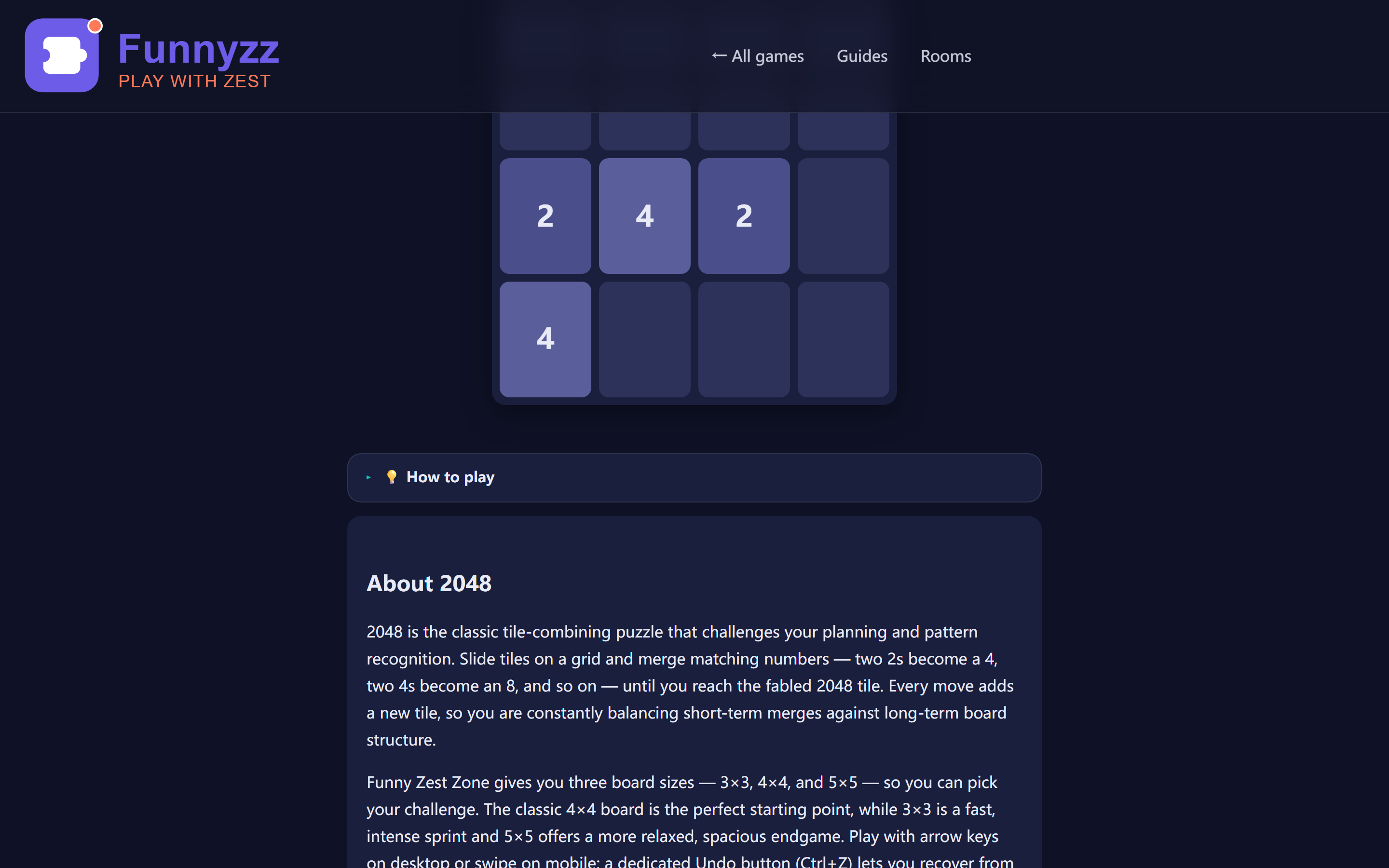
Here's a typical winning board state using the corner strategy (anchoring in the bottom-left):
| Row | Col 1 | Col 2 | Col 3 | Col 4 |
|---|---|---|---|---|
| Row 4 (bottom) | 1024 | 512 | 256 | 128 |
| Row 3 | 2 | 4 | 8 | 64 |
| Row 2 | Empty | 2 | 16 | 32 |
| Row 1 (top) | 4 | 8 | Empty | 16 |
Notice the pattern: the largest tile (1024) sits in the bottom-left corner. The next largest tiles (512, 256, 128) form a descending chain along the bottom row. Smaller tiles fill the upper rows, where new tiles randomly appear. This arrangement means when you swipe left or down, your big tiles stay put while smaller tiles merge around them.
Which Corner Should You Choose?
Any corner works, but bottom-left or bottom-right tend to feel most natural for right-handed players. The key is consistency — once you pick a corner, stick with it for the entire game. Switching corners mid-game almost always leads to disaster because your largest tile gets displaced.
If you're new to the corner strategy, pick one corner right now and commit to it for your next game. The 2048 game on funnyzz works perfectly for practicing this technique.
Five Critical Rules to Follow Every Move
Once you understand the corner strategy, these five rules will help you execute it consistently. Breaking any of these rules is the most common reason players get stuck.
Rule 1: Never Swipe Up (If Your Corner Is on the Bottom)
This sounds extreme, but it's effective. If you've anchored your largest tile in a bottom corner, swiping up will move it away from that corner. Once displaced, your carefully built chain breaks apart. Instead, use only left, right, and down moves. These three directions are almost always sufficient to make progress while keeping your big tile anchored.
If your corner is on the top, the rule flips: never swipe down. The principle is the same — protect your anchor position at all costs.
Rule 2: Always Move Toward Your Corner
When you have a choice between two moves, prefer the one that moves tiles toward your anchored corner. For example, if your corner is bottom-left, prefer left swipes over right swipes, and down swipes over up swipes. This keeps your structure compact and prevents gaps from forming in your chain.
Rule 3: Keep the Board Organized
A messy board leads to bad merges. Try to maintain a clear gradient from large (near your corner) to small (far from your corner). When small tiles randomly appear, they should land in the "small tile zone" — the rows and columns farthest from your anchor. If a small tile appears in the wrong place, don't panic, but try to merge it away quickly before it disrupts your structure.
Rule 4: Plan Two Moves Ahead
Before making a move, ask yourself: "What will the board look like after this move, and what will I do next?" If you can't see a clear follow-up, the move might be risky. Experienced players develop an intuition for this, but even beginners benefit from pausing and thinking one step ahead.
This is especially important when your board is getting full. A hasty move might create a merge, but it could also block your only escape route. Take your time — 2048 has no time limit in most versions, including ours.
Rule 5: Don't Chase Merges That Break Your Structure
Sometimes you'll see a tempting merge that requires moving your largest tile out of position. Resist the urge. That merge might give you a short-term boost, but breaking your chain almost always leads to a worse position. Wait for the merge to happen naturally as other tiles move toward your corner.
Common Mistakes Beginners Make
Even with the corner strategy in mind, certain mistakes trip up new players. Recognizing these early will save you countless frustrating games.
| Mistake | Why It Happens | How to Fix It |
|---|---|---|
| Swiping randomly | Feels productive, but scatters tiles | Use only 3 directions (toward your corner) |
| Ignoring the corner | No anchor means no structure | Pick a corner before your first move |
| Chasing big merges | Breaking structure for short-term gain | Wait for merges to come to you |
| Not planning ahead | Reactive play leads to dead ends | Think one move before swiping |
| Giving up too early | Plateaus feel like failure | Restart and apply the strategy fresh |
The most damaging mistake is swiping without thinking. When you're in a hurry or playing on autopilot, it's easy to make impulsive moves that slowly destroy your board structure. Make every move intentional. If you're unsure, pause and reassess the board.
How to Break Through the 512 Plateau
Most beginners get stuck around 512. You can merge up to 512 comfortably, but creating 1024 feels impossible. Here's why, and how to fix it.
The 512 plateau usually means one of two things:
- Your corner tile keeps getting displaced. Every time you build up to 512 in a corner, a careless swipe moves it, and you lose your structure.
- You're creating multiple large tiles that can't merge. You might have a 512 and a 256 on opposite sides of the board, with no way to bring them together.
The solution is patience and structure. Focus on keeping your 512 anchored in the corner. Then, slowly build the next 512 adjacent to it. When you merge those two 512s, you'll create 1024 — and it'll be in your corner where it belongs.
The Snake Pattern for Advanced Play
Once you've mastered the basic corner strategy, you can level up to the snake pattern. This advanced technique involves creating a long, winding chain of tiles that snakes back and forth across the board. Here's the ideal snake pattern:
| Position | Value | Purpose |
|---|---|---|
| Bottom-left corner | 1024 | Your anchor tile |
| Bottom row, moving right | 512 → 256 → 128 | Descending chain |
| Right column, moving up | 64 → 32 | Continuing the snake |
| Top-right area | 16 → 8 → 4 → 2 | Smallest tiles at the tail |
This pattern maximizes your merging potential because every tile is positioned to merge with its neighbor when you make the right move. The key is building this pattern gradually — don't try to force it all at once. Let the tiles fall into place as you play strategically.
When to Continue Past 2048
Reaching 2048 is a major milestone, but the game doesn't have to end there. Many players continue to 4096, 8192, or even higher. If you want to push further:
- Keep using the corner strategy. Your 2048 tile becomes your new anchor.
- Be more patient than ever. Creating 4096 requires two 2048 tiles, which takes significantly more moves than creating the first 2048.
- Expect longer games. A game that reaches 4096 might take 30-60 minutes of focused play.
The techniques that got you to 2048 are the same techniques that will get you higher — just applied with more precision and patience.
Daily Challenge: Compete on the Same Board Every Day
2048 is part of our site-wide Daily Challenge system — a seeded puzzle where every player starts with the exact same initial tile layout. The seed is derived from today's date, so no matter when you play today, you'll face the same starting position as everyone else. Access it directly at /games/2048/?daily=1 or through the Daily Challenge hub.
In Daily Challenge mode, the goal is simple: achieve the highest score possible on that day's seed. Because the starting position is fixed, you can focus purely on executing the corner strategy and critical rules described earlier in this guide. When you finish a daily game, the completion modal shows three options:
- Share Result — download a visual share card with your final score, highest tile, and current streak (the number of consecutive days you've completed the daily challenge).
- Challenge a Friend — create a quick multiplayer room and copy a share link so a friend can play the exact same daily seed and compete for the highest score.
- Back to Menu — return to the main menu and try again tomorrow.
The daily challenge also feeds into the of puzzle games. A short, focused daily session builds mental discipline without the pressure of endless games. And because everyone plays the same board, you can compare your progress with friends or the global community — a powerful motivator to keep practicing your advanced strategies.
Game Over Screen: Enhanced Visual Feedback When You Finish
When the board fills up and no more moves are possible, the game over screen doesn't just display a plain message — it gives you a clear visual summary of your performance. Your final score is displayed in bold highlighted text so it stands out immediately, followed by a small restart hint ("Press R or Enter to play again") that tells you exactly how to jump back in.
If your score beats your previous personal best, a "NEW BEST!" badge appears next to your score with a gold gradient background and a subtle pulse animation. This badge makes it obvious when you've achieved a milestone, so you never miss the satisfaction of setting a new record — even during a regular practice game where you might not be paying close attention to the leaderboard.
Whether you're celebrating a new personal best or just wrapping up a practice session, the game over screen gives you the closure and motivation you need to keep improving. Combined with the statistics panel that tracks your long-term averages, you have a complete picture of your progress over time.
Explore More Strategy Guides
Continue Your Puzzle Journey
Ready to take your 2048 skills further, or want to master other puzzle games? Check out these guides:
Keyboard Help Overlay
Not sure what keys do what? Press the ? key (or /) during gameplay to open our Keyboard Help Overlay - a visual guide that shows all available shortcuts for 2048. You will also find a ? button in the top-right corner of the game area. The overlay lists every keyboard shortcut specific to 2048, including Arrow keys or W/A/S/D to move tiles, N for new game, R to restart, M to mute, Ctrl+Z to undo. Press Esc or click outside the overlay to close it. This feature works on desktop browsers and is especially helpful for discovering shortcuts you might not know about.
Frequently Asked Questions
How long does it take to reach 2048?
For most players using the corner strategy consistently, reaching 2048 takes between 15-45 minutes per game. Beginners might take longer at first, but with practice, you'll develop the pattern recognition needed to reach 2048 more quickly. The key is applying the strategy from the very first move, not trying to fix a messy board later.
Is 2048 based on luck or skill?
2048 is primarily a game of skill with a small element of randomness. The random tile placement (whether you get a 2 or a 4, and where it appears) introduces luck, but strategy and planning determine whether you can build toward 2048. Players who use the corner strategy consistently reach 2048 far more often than those who swipe randomly.
What's the highest possible tile in 2048?
The theoretical maximum tile is 131,072 (2^17), though reaching it requires perfect play and some luck with tile placement. In practice, most skilled players reach 2048 or 4096 regularly, with 8192 being an impressive achievement. Going beyond 8192 requires extraordinary precision and favorable tile spawns.
Why do I keep getting stuck at 1024?
Getting stuck at 1024 usually means your structure is breaking down before you can build the second 1024 needed to create 2048. Focus on keeping your 1024 anchored in the corner, then methodically build another 1024 adjacent to it. Avoid the temptation to chase merges that would displace your large tiles. Patience is the key to breaking through this plateau.
Should I play on mobile or desktop?
Both work well, but desktop (with arrow keys) offers more precise control than mobile swiping. On mobile, be especially careful with accidental swipes — a single errant swipe can break your corner strategy. If you play on mobile, consider using a version that lets you undo moves, at least while you're learning.
Can I resume my game after closing the browser?
Yes. Our 2048 game automatically saves your progress after every move. When you return, a resume overlay shows your current score, best tile, and time elapsed. Click Resume to continue, or New Game to start over. Saved games expire after 7 days. This works even if you close the tab or restart your browser.
Can I play 2048 offline?
Yes! Many versions of 2048 work offline, including ours. Check out our guide on offline puzzle games for more games you can play without an internet connection. 2048 is perfect for flights, commutes, or anywhere with spotty connectivity.
What keyboard shortcuts does 2048 support?
Our 2048 game supports multiple control schemes for faster play. Use arrow keys or WASD keys to move tiles in any direction. Press R to restart the game instantly, M to mute or unmute sound effects, Space to pause or resume the game (a PAUSED overlay appears until you press Space again), and Ctrl+Z (or Cmd+Z on Mac) to undo your last move. The undo button displays a counter showing how many moves you can rewind (up to 30 per game). These shortcuts let you play more efficiently and focus on strategy rather than clicking buttons.
Ready to Master 2048?
Put these strategies into practice right now. Remember: pick your corner, keep your largest tile anchored, and build a descending chain. You've got this!
Play 2048 Now